live_tv
Livestream Starting Soon
00
Hours
:
00
Minutes
:
00
Seconds
Up next in 10



✔️ FREE MIXING CHECKLIST ✔️ (Finish more songs, faster!)
https://www.orpheusaudioacademy.com/mixingchecklist/
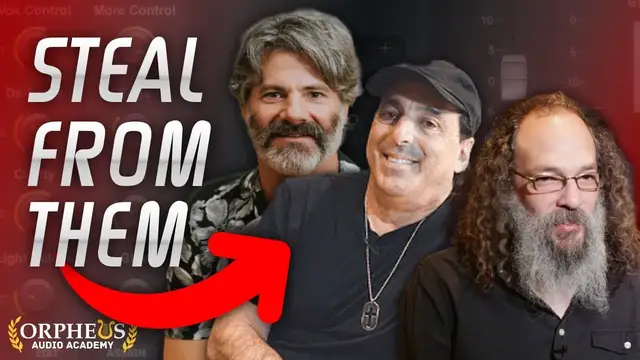
What if you could simply copy the plugin chains from the best mixing engineers in the industry, and instantly mix your tracks so they sound just like the pros?
Well, now you can with Waves StudioRack and StudioVerse.
In this video, I break down how you can get access to the go-to plugin chains that the top industry professionals use in their mixes...
And how you can essentially create your own plugins right inside of your DAW.
⛓️ LINKS MENTIONED IN THIS VIDEO ⛓️
? Waves Creative Access (StudioVerse): https://www.orpheusaudioacademy.com/WavesAccess
? Waves StudioRack: https://www.orpheusaudioacademy.com/StudioRack
⌛TIME STAMPS:⌛
0:00 - Create your own enhanced plugin chains
8:26 - Steal the plugin chains from pro mixers
Show More Show Less View Video Transcript
0:00
How would you like to have the plugin chains from some of the best mixing engineers in the business
0:04
such as CLA, Andrew Sheps, Jakir King, and many more right at your fingertips? Or not only that
0:12
how would you like to be able to combine the individual parameters of several different
0:17
plugins and essentially create your own plugins right inside of your DAW? Well, make sure you
0:23
watch all the way to the end of this video as I'll show you how to do both of these things
0:27
and achieve all of this in just seconds right inside of your DAW
0:31
Hey, I'm Reagan Ram with Orpheus Audio Academy dot com, helping you make better music and grow fan base online
0:37
So if you want to be able to essentially create your own plugins right inside of your DAW
0:42
you can use this awesome plugin here by Waves called Studio Rack
0:46
And so the way this works is you load up different plugins here
0:50
Now, since this is by Waves, it's designed to be used with all the Waves plugins
0:55
But even if you don't have any Waves plugins, you can still use this with third-party plugins so long as they are VST3s
1:02
So if you have VST3 versions of third-party plugins installed on your computer, you can also use these inside of Studio Rack
1:10
By the way, if you want to try this out for yourself, I have a link to this in the description below
1:14
Or just go to orpheusaudioacademy.com slash Studio Rack. So anyway, you got your plugins loaded up in here
1:21
And then you can create these different macros based on different parameters. on these plugins so to keep this really simple for you i created my own plugin here i mean you're not
1:31
really creating your own plugin you're creating really a plugin chain but i feel like you're
1:34
almost like creating your own plugin here um so you can to make this simple i used all the one
1:39
knob plugins here by waves uh these these are really nice plugins a lot of times i'll end up
1:43
using several of them and so this is nice because i can just put them all in one place here and i
1:50
And I can easily control, you know, with automation, these different macros here
1:55
So, for example, I've got driver here. And so this is synced to the driver here
2:00
But I could add other parameters to this. So I can right-click on this and learn. I can add other parameters from different plugins I have loaded in here
2:09
So you load in your plugins and then you assign them to macros. Or you don't have to. You don't even have to use the macros
2:14
You can just have the plugins here. And you've got this plugin chain saved that you can reload later
2:18
but I think the real power here is in being able to use these macros. And so I've got all these different plugins in here
2:24
And then I've got one place where I can control all of these. And so I've had to have the screen filled with all these different plugins pulled up
2:30
And it's got one here. And so I've got this on these chords here
2:33
So if I like listen to this, we can play with these different knobs
2:46
So we're using the filter automation there. you can add more reverb with wetter add some compression
3:09
so that's pretty cool but that's just like one example there another place where i use this was on my bass here listen to this without studio rack in and then with
3:19
it in. And as you can see before and after, the biggest thing you hear is it sounds a lot louder
3:43
when you have this in. But if you look at the meter over here, it's actually not increasing
3:48
and volume in fact it's just becoming more consistent which makes it sound louder and that
3:54
is because of some of the plugins we have loaded in here so for example uh that would probably be
3:58
the compressor here mainly and so i've got the input and the output assigned to macros here so
4:04
you can see these in red i've also got some saturation here so i've got the beauty and the
4:11
beast controls set here to the macros along with the base relief for like tightening up the low end
4:17
if I want to. And so you can see as I move on the macros, it moves the controls in the plugin
4:24
And then for, I have three different like EQ regions mapped in here too
4:29
So for bass, that's these really low frequencies down here. It's like sub bass really
4:34
And then I have buzz up here. So if I wanna help the bass cut through the mix
4:39
a little bit more, I can use that. And then I have growl here, which is kind of a little bit muddier
4:44
And I was kind of cutting that here. So this is really cool
4:48
So I'll move these controls around a bit and see what this allows us to do
5:16
Thank you so that sounds pretty good to me a lot tighter a lot fuller and it really cuts through here
5:43
I'm going to listen to it with the drums in. Pretty cool
5:58
Pretty cool. And then you can obviously save this. So I could go to save as and I could call this my bass
6:09
And so there's so much you can do with this, right? There's so many more you can add. You can add plugins and sequence like I've been doing here
6:15
You can do a multi-band split, which is really cool. Before I do, I just want you to know that I have a free mixing cheat sheet that you can grab in the description below
6:25
This walks you through a proven step-by-step mixing system so you can produce professional radio quality music from home each and every time
6:33
And it allows you to finish more mixes faster so you have more music to release
6:37
Again, that's in the description below. Or you can go to OrpheusAudioAcademy.com
6:41
slash mixing checklist. I can put like different regions in here and put different plugins that only affect certain regions
6:49
So if maybe I only wanted to add saturation or something in this range, I can come in here
6:54
maybe just pull in one knob driver and just bump this up like that
7:11
So you can hear it's adding a little extra energy just to that range
7:15
Shrink this range down, or we can make this range a little bigger
7:19
to be like between 1000 Hertz and 4000. And of course we could add this to a macro as well
7:34
So how much this one knob is increasing, we could add that to a macro if we wanted
7:39
So that's just really cool. so much power, so much flexibility. And it's why I say this is almost like creating
7:43
your own plugin. On top of that, you can also have parallel splits
7:47
So this would be like where you want to add your wet effects so that they're not happening in sequence
7:52
but you can mix in different ingredients as you want. So, you know, if you wanted to add in a delay here
8:00
and you could add in a reverb here, and now you have different, these different effects
8:05
that you can now blend into the track as you, as needed
8:10
Pretty cool. And this shows you there's so, so much possibilities here inside of Studio Rack
8:14
It's a really awesome plugin. And it's definitely something that can make your life a whole lot
8:18
easier while mixing. So I definitely recommend it. Again, check it out. The link in the description
8:22
below to get it or go to orpheusaudioacademy.com slash Studio Rack. So what if I told you that you
8:27
could actually get the plugin chains from some of the best mixing engineers in the business
8:32
such as CLA, Andrew Sheps, Jakir King, and many more right inside of your DAW? Well
8:37
you can do that here with studio verse inside of studio rack you need i believe you need a waves
8:44
creative access membership to have access to this it's pretty inexpensive i know a lot of people
8:49
complained when waves released their like monthly plan and i think rightfully so because they got
8:55
rid of the ability for people to purchase plugins outright but then they listened to the backlash
8:59
and so now you can you know have one-off purchases of plugins and you have them for life
9:06
But you can also sign up for their creative access plan. And I was already paying before this came out for the Waves update plan, which is $200 a year
9:15
So it's about the same, not too big of a difference. That's never dissuaded me from using Waves plugins
9:20
I think Waves plugins are the best in the industry. They're really awesome
9:25
And Studioverse is no exception. So once you have a Studioverse account and you've got Studio Rack
9:32
then you should have access to all the Waves plugins. then what you can do is you click this little icon here and he pulls up studio verse and this
9:39
gives you access to all kinds of plug-in chains and they're sorted by you know what plugins they're
9:44
using you can sort by settings here so like how much cpu it's going to take up whether or not
9:49
they're including third-party plugins and there's also different tags here by instrument genre
9:54
processor and character so if i wanted to search on like 80s hey i want to do an 80s mix here i
9:59
don't know where to start i can pull up 80s look 80s snare 80s drum machine claps and tom drum
10:06
boosters these are all by waves are there anybody like any producer so the other thing is you can
10:11
make your own plug-in chains and save them to studioverse so other people can use them this
10:15
makes it easy to share i'm not seeing anything by other producers um let's just go like vocals
10:22
so see we're immediately getting some producers here so Lou Diaz, Tizio if I'm pronouncing that
10:29
right, Preston Reed, here's Chris Lord-Algey, we got Andrew Sheps, Jeff Ellis, Jakir King like I
10:38
mentioned and on and on so many different producers in here you can get their exact
10:42
plug-in chains and so for the drums here that's what I did here I believe I used the new disco
10:49
by Yoad Nevo. You can see one of the cool things about this
10:52
is just the educational value. You can learn what are the pro producers
10:57
putting on their different instruments, what chains are they using. And one thing I noticed is a lot of them are using limiters so I need to use limiters more So here we putting a limiter on the drums which makes sense because as you boosting maybe the lower in volume sounds within the drum kit
11:15
you don't want to be boosting everything and getting clipping. So this kind of sets a ceiling so you can get really nice, dense, punchy drums
11:24
Different plug-ins in here, so there's an EQ, and then you can also see what is actually mapped to the macro
11:29
So some things are just static, right? We just have a static curve here and some things are mapped
11:35
So I believe the treble here is mapped. So you can see if I move the treble macro here
11:41
I can boost it right at 8K there for the drums if I want
11:46
And then we have the API 560. I really like this one. You can see outlined in red here what's being controlled
11:52
So not treble, presence maybe. Yep, we're boosting presence. So we got presence control here
11:58
bass yep bass control and smack attack this is a cool one so this allows us to control the
12:04
attack and sustain of our drums overall so that's really cool and then vitamin which i believe would allow us to do the width here yeah um so let's hear what
12:16
this is doing Thank you
12:46
So you can hear it definitely makes everything a lot brighter and a bit punchier as well
12:54
So that's pretty cool. So immediately you can just pull up a whole plug-in chain
12:57
Saves you a ton of time mixing. So this is really incredible
13:02
And speaking of mixing, just pulling up plug-in chains willy-nilly is really not enough to create a professional quality mix
13:10
You have to actually know what you're doing and follow a proven system
13:13
which is why I put together my free mixing checklist, which you can grab in the description
13:18
below or go to OrpheusAudioAcademy.com. This walks you through step-by-step how to go about
13:22
mixing a song from step one to step two and so on so you can produce radio quality music from home
13:28
each and every time. This will save you a ton of time so you can release more music and finish
13:33
more mixes faster. I believe I was using this on my vocals as well. So we can look at vocals down
13:39
here can see we got basically different eq and compression going on here and various multiple
13:46
macros are assigned to these so basically just one knob brighter is connected to the shine brighter
13:51
clear mud is the plug tech eq p1a um everything else is just static so you're just getting a really
13:59
mostly a static eq uh or static plug-in chain here which is great too that's fine too so we
14:05
we can listen to what these vocals sound like before and after. Blind, convey a belt, death
14:11
Robots inside. For meldehyde. Breath. For meldehyde
14:22
Breath. So it sounds pretty good. A little harsh. I might want to maybe bring down the brighter or maybe need to add a de-esser in there
14:30
because there's no de-esser at this point in time. pretty good if I put the delay and a reverb on that I was using
14:36
pretty cool I just went into studio verse here and I think I typed in like vocals
14:46
and just pull up this first chain here right here because it had a bunch of downloads so
14:53
boom cool vocals so maybe I want to use something else here so I like this one so I'm going to save
15:00
it but i can pull up another instance of studio rack platinum vocals here by damian lewis vocals
15:08
backing vocals pop lead vocal so we got de-esser in here so let's look at all so we can see what's
15:14
on here right now they're all turned off interesting so i guess we can choose what we want to turn on
15:18
Imitation hearts, replica minds, illusion of choice. Are we so blind
15:28
Can they about death? Robots. Got our box on here. Imitation hearts, replica minds, illusion of choice
15:40
Are we so blind? Can they about death? Robots inside. For Melda
15:46
So let's go with one control here. We're EQing a bunch of parameters
15:51
That's a bit extreme. So maybe like right there. We've got a parallel split here
16:06
CLA 76. This is sync to smash, I guess. So we can have some parallel compression
16:13
Shep's parallel particles. This is a nice one. So you can add thickness and brightness your tone
16:38
I getting louder We got an exciter here
16:57
It's another parallel split. Sephira. It's a harmonic exciter. Blending into the parallels
17:03
This is more parallels. So parallel saturation, I guess. We have parallel compression, parallel saturation
17:07
Wow. Imitation hearts, replica minds, illusion of choice. Are we so blind
17:17
More de-essing you can add in. Imitation hearts, replica minds. Convey about death, robots inside
17:32
And then the limiter. This one's pretty darn good
17:59
And if you look at the meter, we're not really adding any volume, although it sounds louder because of the compression
18:04
because of the limiting. We're bringing up the quiet parts, squashing the high parts. It's more consistent, so it makes it sound louder
18:11
but we're not actually adding any more peak volume. Pretty awesome
18:28
So, like, instantly you can get really good vocals. Obviously, this will need to be tweaked a little bit. but like with just a couple of clicks, you have basically everything mixed
18:37
So this is a really awesome tool, right? You could scan through here all day looking for stuff
18:43
Let's look at tags. All right, look at all the stuff for different instruments
18:47
Every instrument you could think of except for maybe mayonnaise. Is mayonnaise in here
18:52
Is mayonnaise an instrument? No mayonnaise. So need to take off points for that because mayonnaise is indeed an instrument
19:01
But we got master bus. What if I throw something on the master bus now
19:06
Mix bus. Mix that bus up. By the way, is bus spelled with two S's or one
19:11
I've seen it both ways. You tell me in the comments below. I mean, obviously a school bus is one, but like an audio bus
19:18
What do we got going on here? Optional EQ. Interesting. Then we got compression
19:23
SSL compression. That's a very good compressor. I do indeed like using this on my mix buses
19:29
EQ. so is this sweetening so we boost up sweetening what are we doing we're
19:35
boosting and attenuating at 30 that's kind of a unique feature of EQ P1A is
19:41
you get like you can boost and attenuate the same frequency and it creates a
19:45
really nice low end without mud do a separate tutorial on that and then we're also boosting some of the higher frequencies there I brought one of
19:52
the vocals would sit so that's nice infected mushroom pusher I really like
19:57
this plugin actually. This sounds really good. So what is this on? Oh, the low note. So set the key
20:03
and just push. Cool. So I think this is like compression. Could be wrong there. And then
20:08
with stereo with cool. I like that push. Okay. So push is doing everything. Highs, the harmonics
20:16
All right. Let's hear what this sounds like before and after. We so blind convey about death robots inside Formaldehyde
20:35
It's making a bit louder so we'll compensate a bit. huge, huge difference. So amazing. I, I'm going to be using this in literally every song I make
21:34
because this is just incredible. So I believe you can get a seven day free trial of this. Just click
21:39
the link in the description below or go to orpheusaudioacademy.com slash waves access
21:45
And I highly recommend this. Definitely try it out and see if it's something that will fit
21:49
inside of your workflow. Remember, grab my free mixing checklist in the description below. This
21:55
will show you a proven step-by-step process for how to produce radio worthy tracks from home each
22:01
and every time so you can finish more music faster and if you want more help finishing pro quality
22:05
music faster then be sure to click the video playing on the screen right now with that have
22:10
an awesome day and keep creating
#Arts & Entertainment
#Music & Audio
#Music Education & Instruction
#Music Equipment & Technology
#Audio Equipment